Route planner
Plan motorcycle routes — free, no account needed
Plan your route with a start, a destination and stops, pick a riding profile, and skip the roads you'd rather not take. Then take it to Google Maps or to your sat nav as GPX.
Plan
From start to destination, with your stops
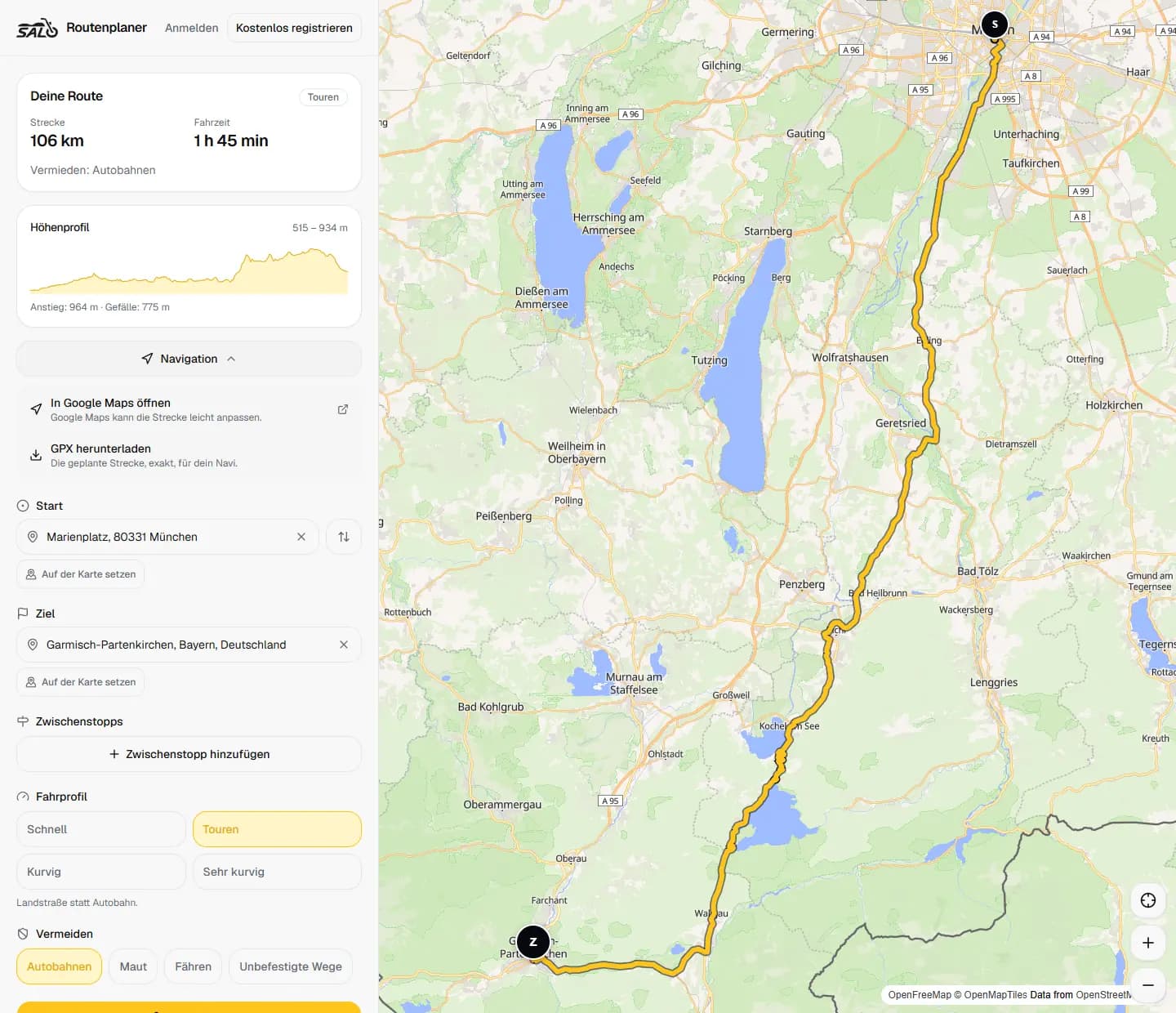
Find places by name or address, or set them right on the map. The route is ready in seconds — with distance, riding time and elevation profile.
- Set start and destination by search or on the map
- Add stops and reorder them
- Distance, riding time, ascent and descent at a glance
- On your phone or your computer, in the browser
Pick your riding style
Four riding profiles, one route: switch the profile and plan again.
Fast
Straight to the destination.
Touring
Country roads instead of motorways.
Curvy
Prefers bends, even when it takes longer.
Very curvy
As many bends as the road network offers.
Avoid and take along
Leave out what doesn't suit your ride, and take the route to wherever you navigate.
Avoidances
Motorways, tolls, ferries or unpaved roads — each one on or off.
Google Maps
The route opens in Google Maps with its waypoints. Google may adjust the route slightly there.
GPX export
The exact route as a GPX file — for your sat nav or any app that reads GPX.
To be clear
What the route planner is — and what it isn't
Salomoto plans your route. Navigating and recording are left to the device you already use.
- Planning is free and needs no account
- Currently for routes in Germany
- No turn-by-turn navigation and no GPS recording
- Log your rides in RoadDex, if you like
Questions
Route planner FAQ
Does the route planner cost anything?
No. Planning, Google Maps and GPX export are free — even without a Salomoto account.
Where can I plan routes?
Currently in Germany. Places outside it are not offered in the search.
Does Salomoto navigate for me?
No. Salomoto plans the route; navigate with Google Maps or any sat nav that reads GPX files.
What's the difference between Curvy and Very curvy?
Curvy takes bends where they're worth it, even if that takes longer. Very curvy looks for as many bends as the road network offers — the route is often much longer then.
Why does Google Maps sometimes differ?
Salomoto hands the route over with waypoints. Between them, Google Maps chooses for itself. For the exact route, use the GPX export.